Deals and sales pipeline
Jetto's deals show every piece of work you hope to win, from first call to won or lost, on a board with one column per stage. It's a sales pipeline sized for a small business, and it works on your own device with no internet and no account.
Start now, no signupOpen Jetto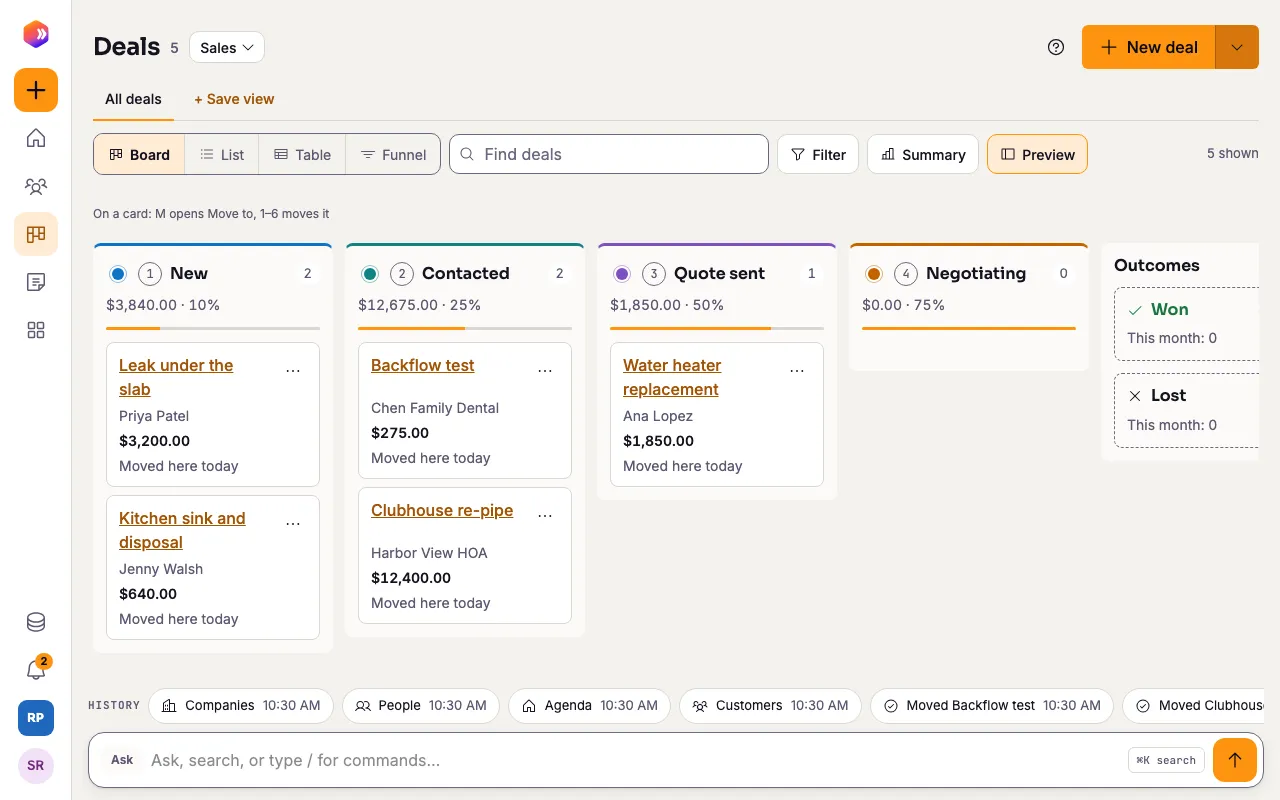
What is a deal in Jetto?
A deal is work you hope to win from a customer: a water heater replacement, a kitchen remodel, a wedding package. It has a name, an amount, an expected close date and a stage. When you win or lose it, it moves to the outcomes, and when you lose one, Jetto asks why, so you can spot patterns later.
How does the board help you follow up?
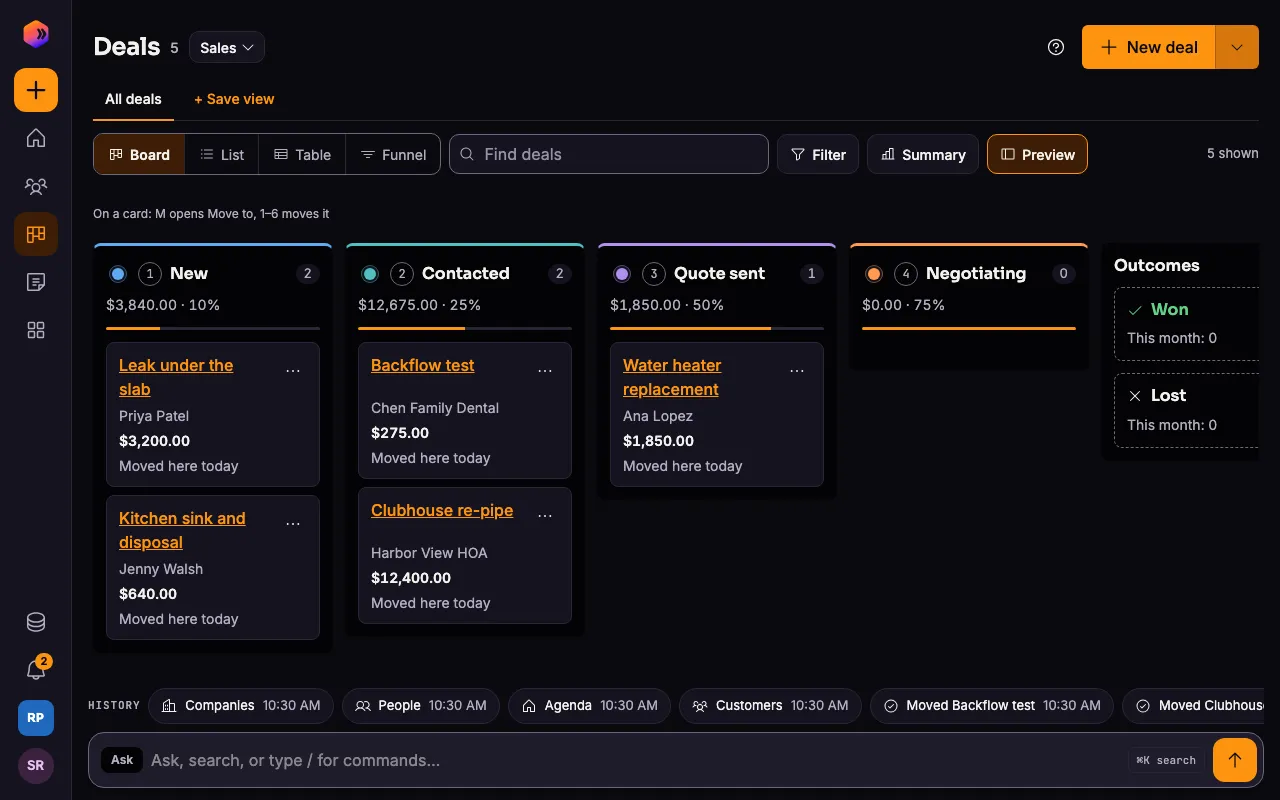
Each stage is a column with its total and its chance to win. The line at the top adds up your open deals, their value, and their value weighted by those chances. A card says Stale when a deal has sat in one stage for more than 14 days, and shows its next open task, so nothing goes quiet without you noticing.
What can you do today?
- Add deals from the Deals screen or a customer's record, with an amount and an expected close date.
- Move deals by dragging, from a menu, or with the keyboard (a number moves the focused card to that stage).
- Switch between Board, List, Table and Funnel views.
- See won and lost deals for this month, the last 30 days, this quarter, this year or all time.
- Edit the pipeline's stages, their chances and when deals count as stale.
- Add notes and tasks to a deal, such as "send the quote by Friday".
Deals belong to customers, and their follow-ups live in notes and tasks.
Jetto for your kind of business
How to use it
A deal is work you hope to win from a customer, with an amount and a stage. The Deals screen shows them as a board, one numbered column per stage, with each stage’s total and how likely deals there are to close. Summary at the top adds up your open deals, their value, and their value weighted by those chances.
Add a deal
Press New deal on the Deals screen, on a customer’s record or in + Create. Say what the deal is, choose the customer, and add an amount and an expected close date if you know them. Pipeline starts at the one you last looked at.
Move a deal to another stage
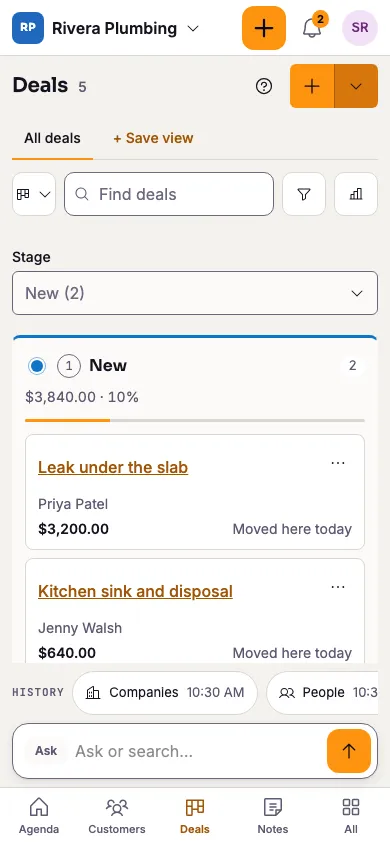
Drag the card to another column, or press the … button on the card and choose the stage (this works with a keyboard too). You can also change the stage on the deal’s record. On phones the board shows one stage at a time: choose the stage at the top.
When a deal is lost, Jetto asks why (you can leave it empty). Won and lost deals show under Outcomes: this month at first; Outcomes from shows another period (last 30 days, this quarter, this year, all time).
With a card focused (Tab to its name), press M to open Move to, or a number to move it straight to that stage (1 is the first).
Views and filters
Switch between Board, List, Table and Funnel at the top. In List, Group by stage shows the deals in a group per stage (press a group's arrow to fold it), or as one list. Filter can show only deals going stale, of a certain age, or of one brand when the business has more than one. More in Views, filters and saved views.
Stage tools
Point at a stage's name (or Tab to it) to see its tools:
- Collapse folds the stage into a thin column with its count, to make room. Press it again to open it. Collapsing is just for you.
- The pencil renames the stage in place: type the new name and press Enter (Esc cancels).
- More (the ▾ button) can also duplicate the stage, add a stage after it, move it left or right, open its settings (chance to win, stale after how many days) or delete it. Deleting asks first, and asks where its deals go.
Stage colors
Press the colored dot before a stage's name to choose its color. The color shows on the board, in List, Table and Funnel, and on the deal's record, always next to the stage's name, never on its own. Stages with no color yet are gray.
Stale deals
A card says Stale when a deal has been in the same stage for more than 14 days, or the number of days set for that stage. It’s a nudge to follow up or move it on. The Agenda lists them too, and the card shows the deal’s next open task.
Pipelines
A pipeline is the list of stages a deal goes through. Jetto starts with a sales pipeline that fits your type of business. The Pipeline button at the top chooses which one the screen shows, and its menu manages them:
- New pipeline… starts with New, In progress, Won and Lost; rename or add stages on the board.
- Rename pipeline… and Duplicate pipeline do what they say.
- Delete pipeline… asks where its deals go first. A business keeps at least one pipeline.
Edit stages (in the screen's ▾ menu) changes every stage at once: rename, add, remove or reorder them and set their chance to win and stale days. Won and Lost can be renamed but not removed. Every change to stages saves a new version of the pipeline and shows in your history; deals keep their place.
Move a deal to another pipeline
A deal is in one pipeline at a time. On the deal's record press Move to another pipeline…, then pick the pipeline and its stage. To move several, select them in List or Table and choose Move to, then Another pipeline…. Undo in the message puts them back.
Tasks and notes on a deal
Open the deal to add tasks ("send the quote") and notes. Deleting a deal deletes its tasks and notes; its customer stays.
Frequently asked questions
What is a sales pipeline?
It's the list of steps work goes through before you win it, such as New, Quote sent and Won. Each deal sits in one step, so you can see at a glance what needs a follow-up and how much work is coming. Jetto starts with a ready-made one: New, Contacted, Quote sent, Negotiating, Won and Lost.
Can I change the stages?
Yes. Edit stages lets you rename, add, remove and reorder stages, and set each stage's chance to win and after how many days a deal there counts as stale. Won and Lost can be renamed but not removed.
Does a deal need a customer?
Yes. Every deal belongs to a customer, so its history, notes and tasks stay together. You can add a deal from the Deals screen or straight from a customer's record.
Can I send quotes or invoices from a deal?
Not yet. Estimates and invoices are planned for a later version. Today a deal keeps the amount, expected close date, stage, notes and tasks.
Can I use it on my phone?
Yes. On a phone the board shows one stage at a time, and you choose the stage at the top. It works offline, so you can update a deal from a job site.
Try it on your own device
Jetto opens in your browser and can be installed like an app. There's no account to create: your data stays on this device. It's an early version, so use it at your own risk and keep backups.
Start now, no signupOpen JettoRelated features
- Customers and contacts Early version Customers, people and organizations, with phones, emails and addresses kept tidy and free of duplicates.
- Notes and tasks Early version Notes on every customer and deal, and tasks with due dates that show up on your Agenda.
- Works offline Early version On your computer and phone, installed like an app. Your data stays on your device.
Last updated: