Local-first software for small businesses
Local-first means Jetto keeps your business data on your own phone or computer and works fully without the internet. There's no account and no server in the middle: the app opens instantly, works on a job site with no signal, and your customer list isn't sent to us.
Start now, no signupOpen Jetto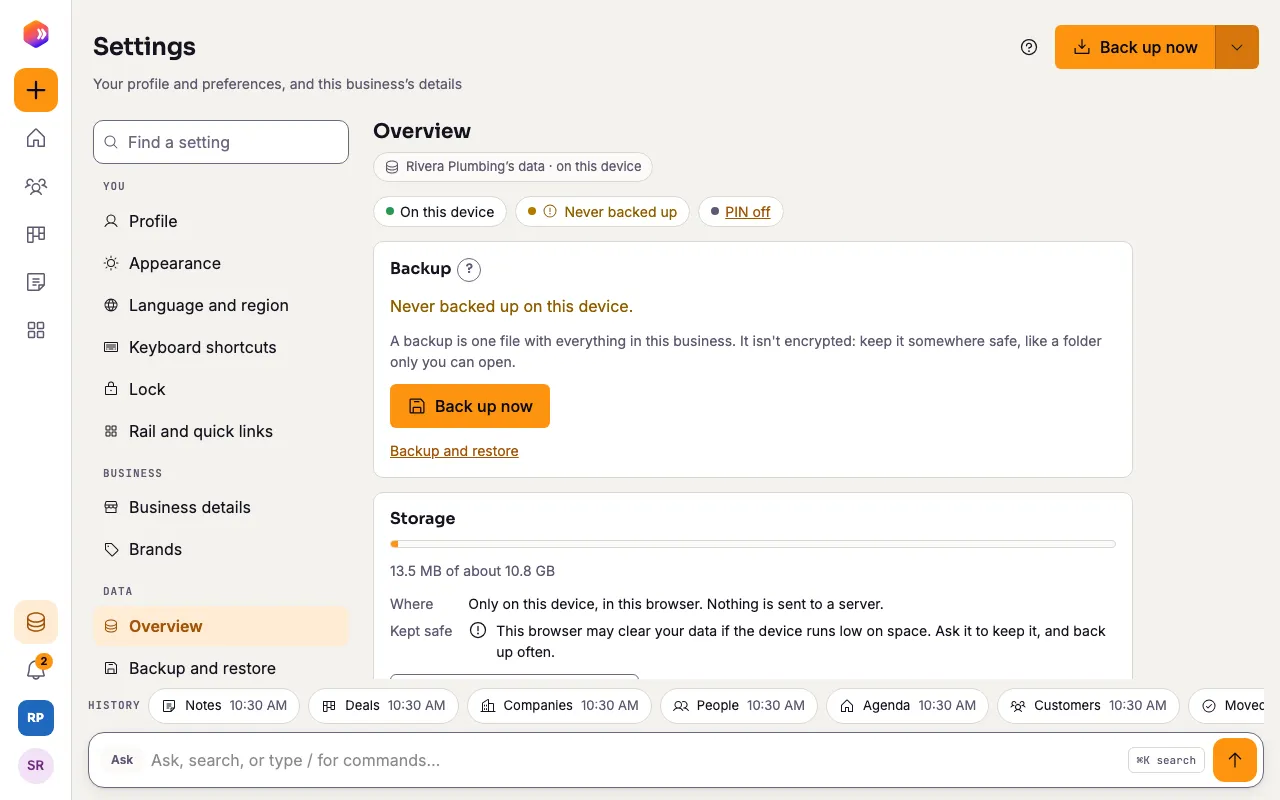
What does local-first mean?
Most business apps keep your data on the company's servers and show you a copy while you're online. Local-first turns that around: the main copy lives on your device and the app works with or without a connection. Jetto opens in your browser and can be installed like an app on your phone or computer.
For a longer explanation, with what local-first doesn't promise, read what local-first software means for your business data.
Why does it matter for a small business?
- It works anywhere. Look up a customer's gate code in a basement or a rural job site with no signal.
- It's fast. Nothing waits for a server, so screens open at once.
- It's yours. No account, nothing sent to us, and you can download all of it at any time as a backup or as CSV files.
- It doesn't depend on our servers. Your data never needs them, and our open-source pledge says what happens if development ever stops.
What's built today, and what isn't?
Built (an early version): your data stays in the browser on your device; the whole app works offline; no account; backups, CSV export and import; a request to keep data from being cleared; a lock screen.
Planned: encryption of the data on your device; sync between your devices and with a team, end-to-end encrypted, on your own server or with Jetto hosting. Until sync arrives, Jetto works on one device at a time.
How do I keep my data safe?
Download a backup from Settings › Data every week or so and keep it somewhere only you can open, since the file isn't encrypted. Press Keep my data on this device so the browser doesn't clear it when the disk fills up; installing Jetto as an app helps. Turn on the lock if other people use the device.
Jetto for your kind of business
How to use it
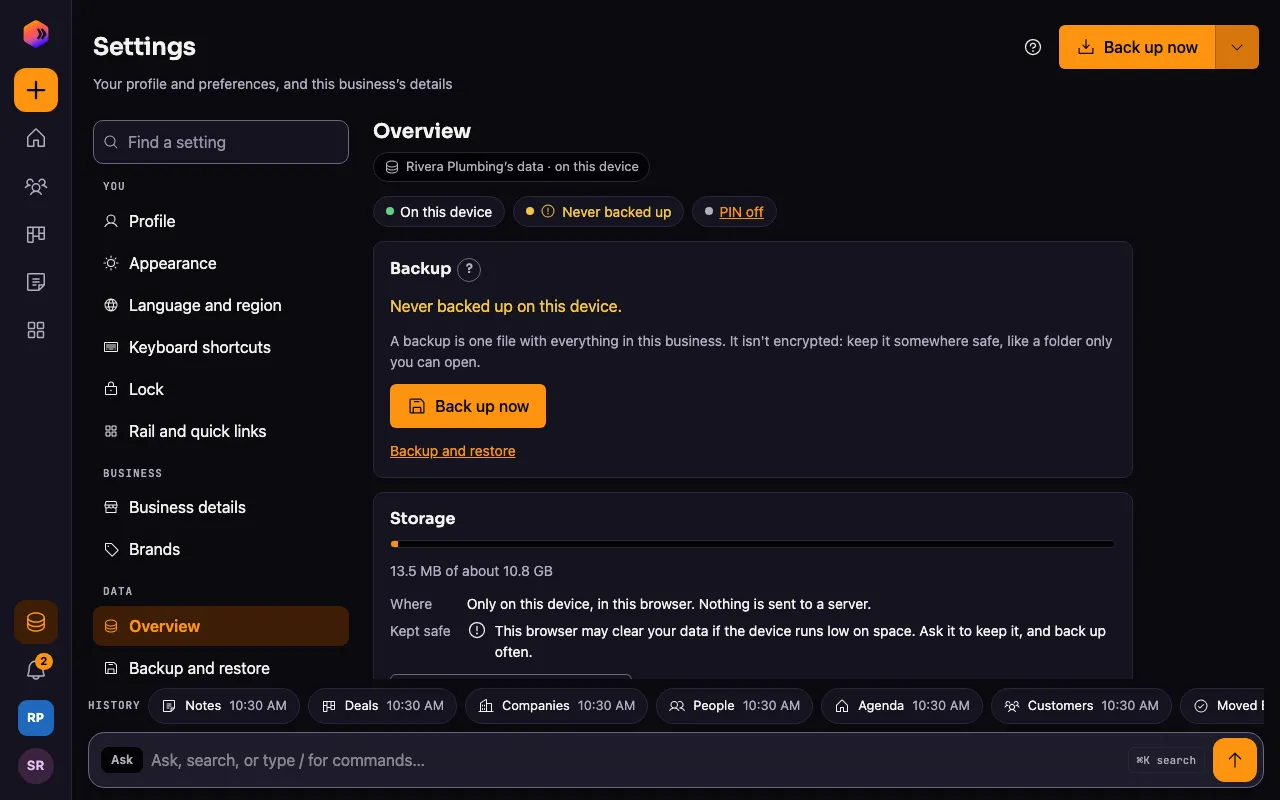
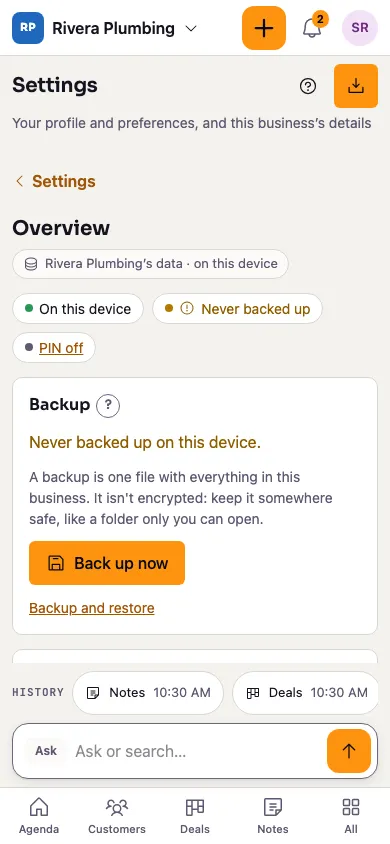
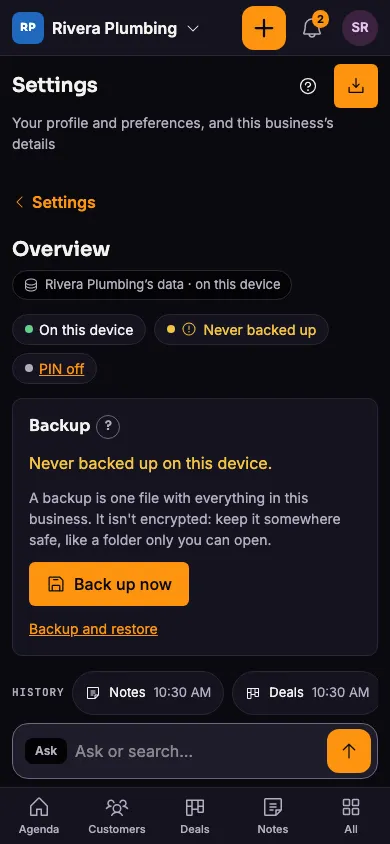
Your data lives only in this browser on this device. Data in Settings shows where it is and keeps it safe. Open it from the database icon in the rail, from Settings, or by typing data. It has four sections: Overview, Backup and restore, Import and export, and History.
Back up your data
In Overview, the last backup shows with Back up now beside it (amber when it's time for a new one). You can also press Back up now in Backup and restore. Jetto saves everything in this business to one file in your downloads. The file is not encrypted, so keep it somewhere only you can open. More in Back up and restore.
Restore a backup
Press Restore… in Backup and restore to bring a business back from a backup, or onto another device. See Restore a backup.
Import from a spreadsheet
In Import and export, press Choose a CSV file to bring in customers from HubSpot, Wave or any spreadsheet saved as CSV. Jetto shows what it will do before saving anything. See Import from HubSpot, Wave or a spreadsheet.
All your data
Import and export also lists what's in this business (customers, people, deals, notes, phones and the rest) with how many records each has. Press CSV beside one to download it for Excel, Numbers or Google Sheets.
Storage
Overview shows how much space Jetto uses and where. Browsers may delete a site's data when the disk is full: Keep my data on this device asks the browser not to. Installing Jetto as an app usually helps the browser say yes.
Lock screen
The lock lives in Settings, under You, then Lock. Turn on a PIN that Jetto asks for when it opens and after a while without use. Lock now locks at once. You can also choose after how long it locks, change the PIN, turn the lock off, or add Face ID, Touch ID or Windows Hello where your device supports it. The PIN can't be recovered: if you forget it, you'll need your latest backup. The lock stops other people opening Jetto on this device; it doesn't encrypt your data yet. Typing lock in the box jumps there.
Frequently asked questions
Where exactly is my data?
In your browser's storage (IndexedDB) on the device you use, for the jettoapp.com site. Each business is its own database. It doesn't leave the device unless you download a backup or export a file.
What happens if I lose my phone or clear my browser?
The data on that device is gone. That's why Jetto reminds you on the Agenda to download a backup when the last one is over a week old. Keep backups somewhere safe; the backup file isn't encrypted.
Is my data encrypted on the device?
Not yet. The lock screen asks for a PIN, or Face ID, Touch ID or Windows Hello, before Jetto opens, but it doesn't encrypt the data. Encryption of the data on your device is planned.
Can I use Jetto on two devices?
Not yet. Today each device has its own data. Sync between your devices and with a team, end-to-end encrypted so the server can't read your data, is planned, on your own server or with Jetto hosting.
Is local-first the same as offline?
Offline is part of it. Local-first also means your device holds the main copy of your data, and any server you add later only helps devices share it. You keep working, and keep your data, whether or not a server is there.
Try it on your own device
Jetto opens in your browser and can be installed like an app. There's no account to create: your data stays on this device. It's an early version, so use it at your own risk and keep backups.
Start now, no signupOpen JettoRelated features
- Backup, export and import Early version Download a backup, export CSV files, and bring your contacts in from HubSpot, Wave or a spreadsheet.
- Customers and contacts Early version Customers, people and organizations, with phones, emails and addresses kept tidy and free of duplicates.
- End-to-end encrypted sync Planned For more devices or a team, on your own server or Jetto hosting. The server can’t read your business data.
Last updated: